As an installer, the cameras you recommend shape how well your customer is protected, and how they talk about you afterwards. With so many options on the market, choosing the right CCTV cameras is one of the most important steps in a successful installation.
Here are ten checks we use with installers every day. If you'd like a second opinion on a job, our team is always happy to help you put the right kit together.
1. Understand what your customer needs
Start with a proper conversation about their security priorities. Do they need indoor or outdoor coverage, or both? How important is night-time footage? Do they want a wired or wireless system? Getting this right first makes every other decision easier.
2. Pick the right camera type
Each type of camera does a different job:
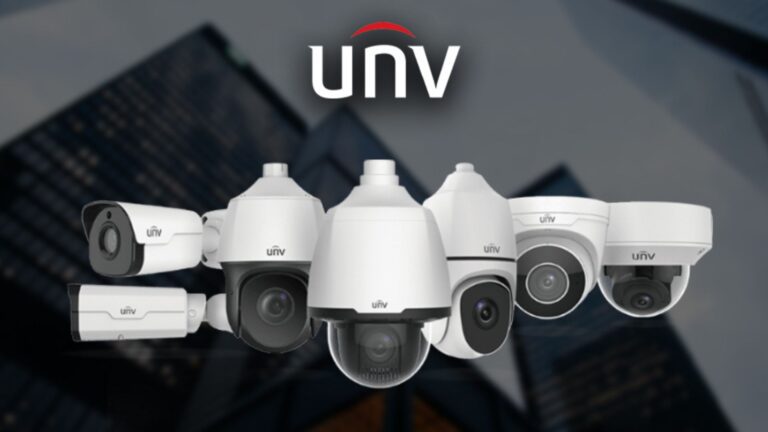
- Dome cameras are discreet and vandal-resistant, ideal indoors and under eaves.
- Bullet cameras are robust and highly visible, which makes them a good deterrent outdoors.
- Turret cameras are easy to aim and avoid IR reflection issues.
- PTZ cameras pan, tilt and zoom to cover large open areas.
3. Match the resolution to the job
Resolution has a direct effect on how much detail you can see. 1080p is the minimum we'd recommend today, while 4MP, 5MP and 4K (8MP) cameras give far more detail for identifying faces and number plates.
4. Check night vision performance
For 24-hour protection, look closely at infrared range and low-light performance. IR range varies a lot between models, so make sure the camera covers the full distance it needs to. Full-colour night vision cameras are a great upgrade where there is some ambient light.
5. Make sure it can handle the weather
Outdoor cameras need a suitable IP rating (IP66 or IP67) to cope with rain, frost and heat. Let your customer know the rating so they understand why the camera will keep working all year round.
6. Get the field of view right
The lens decides how much area a camera covers. A wide lens (2.8mm) covers more ground, while a longer lens (6mm, 12mm or varifocal) gives more detail at distance. Plan each position so there are no blind spots.
7. Plan storage and recording
Most customers will want local recording to an NVR, while some prefer cloud storage. Make sure the cameras are compatible with the recorder you choose, and size the hard drive for how many days of footage they need to keep.
8. Think about connectivity
Wired PoE cameras are the most reliable and are powered over the same cable. Wireless cameras give flexibility but need a strong signal. Survey the site and choose the option that suits it.
9. Set up remote viewing
Most customers now expect to check their cameras from their phone. Choose cameras and recorders with a reliable app, and set it up with them before you leave site.
10. Install properly and plan maintenance
Finally, position, cable and configure every camera carefully, then show the customer how to use the system. Offering a maintenance visit keeps the system working and keeps you in touch with the customer.
Need help choosing?
Prana Vision supplies CCTV from Uniview, Provision-ISR and more to installers across the UK. Call us on 0161 660 6388 or send us a message and we'll help you put together the right system for your next job.
← Back to all news